
7 MCP Tools to Supercharge Your AI Agent
You open your AI coding assistant, start typing, and that's it. You're using a powerful tool, but are you really using it to its full potential?
Most developers stick with the prefab setup. The agent writes code, debugs issues, and answers questions. That's fine, but it skips a huge piece of the puzzle: MCP tools (Model Context Protocol). With them, your agent stops being a helpful assistant and starts working like an automation system.
MCPs let you bring functionality from external systems directly into your agent's control. Web scraping, database queries, component libraries, specialized data sources. All accessible to your AI without leaving your workflow.
The problem? This is one of the most overlooked and underutilized areas of agentic coding. Time to fix that.

Why MCP tools matter
Most of us crack open Claude Code, Cursor, Windsurf, or whatever tool we're using and immediately start coding. But there's massive value in taking just a few minutes to set up key integrations.
MCP tools extend your agent's capabilities in three critical ways:
- Real-time data access - Pull in current information your base model doesn't know
- External system control - Query databases, manage components, scrape content
- Workflow automation - Connect to project management, social platforms, analytics
Here's a tour of the categories worth your attention.
1. Research tools: bringing the web to your agent
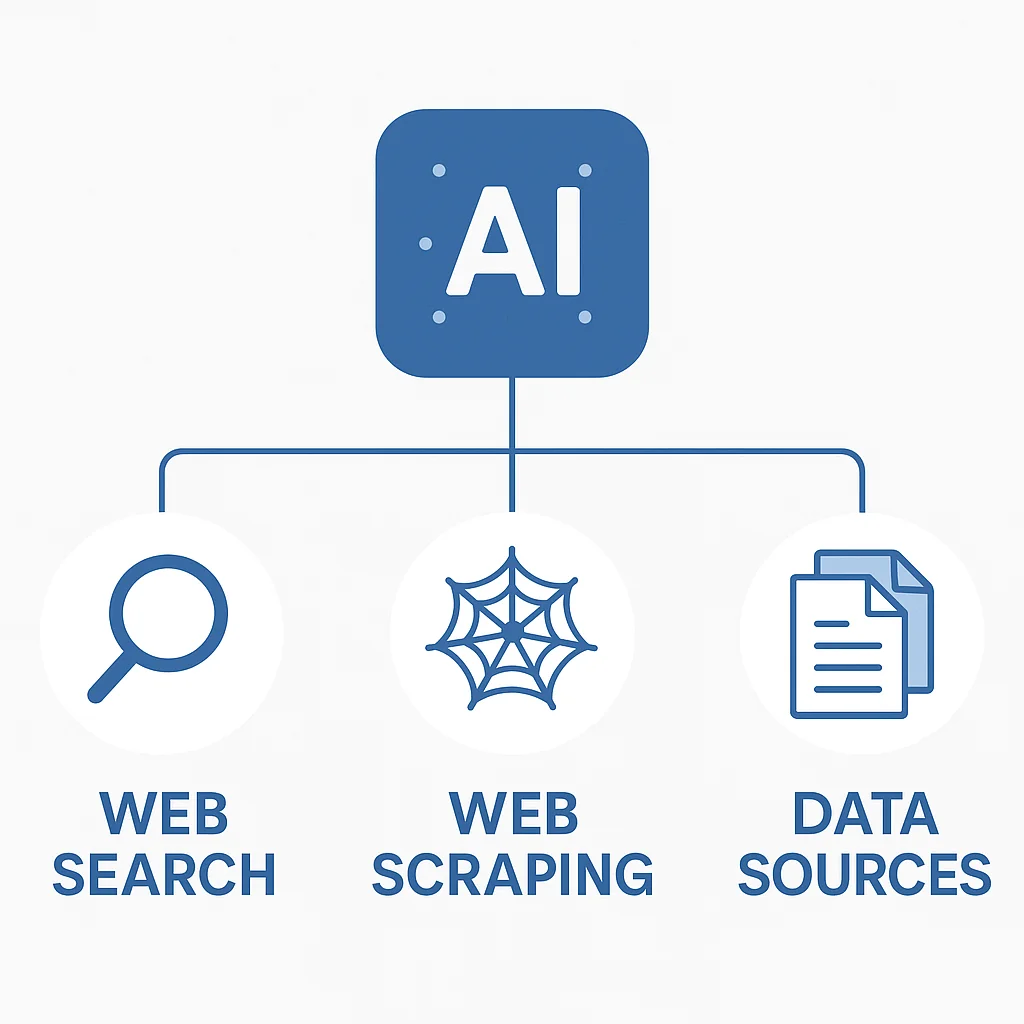
The first category every developer should explore is research tools. Pulling data from external sources into your LLM changes how you work.
Perplexity MCP
Perplexity's MCP is a standout. You get:
- Generic web search capabilities
- Direct source links for every piece of information
- Recent context about any topic
This is huge. Instead of alt-tabbing to Google or dealing with outdated information, you can literally say "ask Perplexity" and boom, your agent has the latest news, the most popular solution to a coding challenge, or documentation for that new framework you're exploring.
Example use case:
You: "I'm getting a weird error with Next.js 15 metadata. Can you check with Perplexity for recent solutions?"

Agent: [Uses Perplexity MCP] "Based on recent discussions, this is a known issue in 15.0.2. Here's the GitHub issue and the workaround..."
Firecrawl MCP
Firecrawl picks up where Perplexity leaves off. It's a scraper built specifically for LLMs.
Say Perplexity gives you a source link, but you need deeper information. With Firecrawl, you can:
- Scrape all content from a specific page
- Crawl an entire site if needed
- Extract structured data optimized for AI consumption
Workflow example:
- Perplexity finds a relevant blog post
- Agent realizes it needs more detail
- Firecrawl fetches the full content
- Agent synthesizes the complete answer
Together, these two tools give your agent a serious research stack.
Specialized data sources
Beyond general web search, there are MCPs for specific platforms:
- Reddit MCP - Search recent trends, discussions, and community insights
- YouTube Data API MCP - Find popular videos, check trends, analyze content
- Platform-specific tools - Whatever domain you work in, there's likely an MCP
Pro tip: The research category gets better the more domain-specific MCPs you bring in. Pick tools that match what you actually work on.
2. Engineering tools: direct access to your stack
Now for tools that interact directly with your development environment.
Database connectors
Here's something we frequently overlook as engineers: your database can be an MCP tool.
Think about your current workflow. If you have a database, you probably:
- Open a separate UI to check what's being written
- Switch to a query platform to verify flows
- Tab over to Supabase, Convex, or your admin dashboard
What if your agent could do this for you?
With a database MCP, you can:
Query directly from your agent:
You: "Run a quick query against my users table and show me the top 5 users this month"

Agent: [Executes query] "Here are your top 5 users by activity..."
Validate workflows:
You: "I just made a new post in the UI. Does everything in the database look correct?"

Agent: [Checks database] "Post created successfully. Related rows: 1 post, 3 tags, 1 author reference. All foreign keys valid."
Skip the analytics platform: You don't even need a full analytics setup for basic questions. Just ask your code, and it will check the database on your behalf.
This is especially powerful for:
- Testing flows (validate data mutations)
- Debugging issues (inspect state directly)
- Quick analytics (ad-hoc queries without leaving your editor)
Popular database MCPs exist for PostgreSQL, MySQL, SQLite, MongoDB, and most major data stores. If your database isn't supported yet, you can often find a wrapper or build one.
Component libraries
Now to the web development side. Components are a big deal, especially in the modern web ecosystem.
If you're a Next.js developer, you know shadcn/ui is huge. Wiring component libraries directly into your agent makes it:
- Smarter about available components - No more guessing what's in your library
- Better at following best practices - Uses components correctly
- More productive - Generates higher-quality UI faster
Example workflow with ShadCN MCP:
You: "Create a form with validation for user signup"

Agent: [Searches ShadCN components] "I'll use the Form, Input, Button, and Label components from your library..."

[Generates code using actual components from your setup]
Other component libraries with MCP support:
- Material UI
- Ant Design
- Custom internal libraries (via custom MCPs)
The key benefit: your agent understands your actual component library, not just generic React patterns.
3. Advanced integration strategies
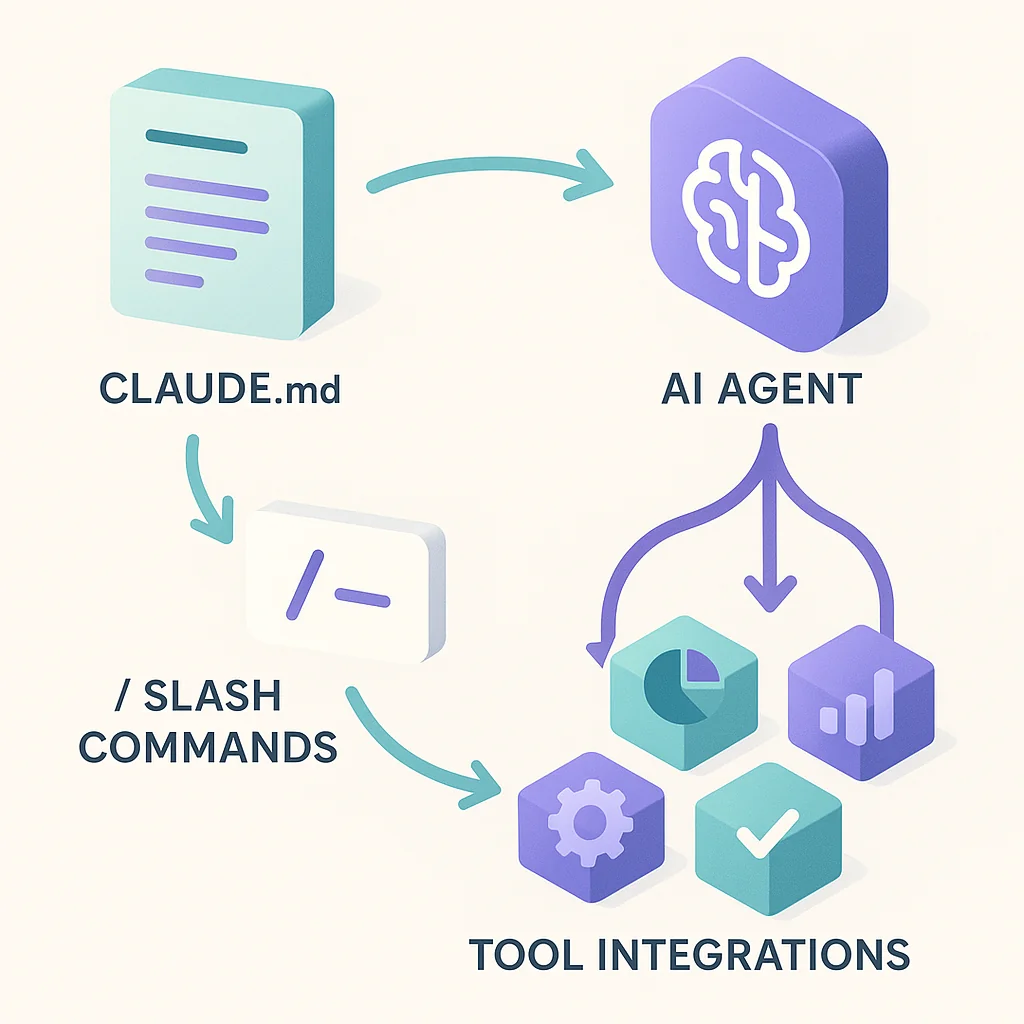
Having tools is great. Knowing how to configure and teach your agent to use them is what separates good setups from great ones.
Where tools can be accessed
MCP tools are available anywhere in your agent, which means you can:
-
Use them in custom slash commands
# In your slash command file When analyzing performance, use the database MCP to query metrics directly. -
Reference them in sub-agents
# In a specialized agent You are a research assistant. Use Perplexity MCP for all factual queries. -
Configure them in your CLAUDE.md file
# Conventions
- For recent documentation, always check with Perplexity first
- When suggesting UI components, search our ShadCN library
- Before making assumptions about database state, query directly
Teaching your agent how to use tools
This is critical: Don't just add the capability. Teach your agent how you want it used.
Bad approach:
- Install Perplexity MCP
- Hope the agent figures out when to use it
Good approach:
- Install Perplexity MCP
- Add to CLAUDE.md: "When you encounter unfamiliar errors or need recent documentation, use Perplexity to search for solutions. Always cite the sources."
- Create a slash command:
/research <topic>that specifically uses Perplexity
When you explicitly teach your agent when to use each tool, how to use it effectively, and what output format you expect, you end up with workflows that are consistent, predictable, and seriously powerful.
4. Memory and planning tools
I personally like to keep manual control over planning, but plenty of developers get a lot out of memory and planning MCPs.
These tools help your agent:
- Remember context across sessions
- Build and track implementation plans
- Maintain state for long-running tasks
Popular options include:
- Memory servers (persistent context)
- Planning frameworks (goal decomposition)
- State management tools (workflow tracking)
When to use them:
- Long-term projects with multiple sessions
- Complex implementations requiring planning
- Collaborative workflows with shared context
When to skip them:
- You prefer manual control over planning
- Short, focused coding sessions
- Projects with clear, simple requirements
Pick tools that fit your workflow. The wrong ones add friction, not leverage.
5. Content and media tools
MCPs aren't just for code. They can handle content creation and distribution too.
Image generation
DALL-E MCP and similar tools let your agent:
- Generate images for documentation
- Create diagrams and visualizations
- Produce marketing assets
Example workflow:
You: "Create a hero image for our new blog post about MCP tools"

Agent: [Uses DALL-E MCP] "I've generated a modern illustration with your brand colors..."
Social media integration
Connect your agent to platforms like:
- Twitter/X - Auto-post updates, schedule tweets
- LinkedIn - Share technical articles
- Slack/Discord - Send notifications, update channels
Real-world use case: Automatically tweet when you publish a new blog post, with the agent generating the tweet copy and hashtags.
6. Project management tools
This is where MCP tools get really interesting for team workflows.
Issue tracking
Connect to your project management system:
- Jira - Create, update, and track issues
- Asana - Manage tasks and projects
- Linear - Sprint planning and bug tracking
- GitHub Issues - Maintain issues alongside code
Powerful workflow:
You: "I just fixed the authentication bug. Update the Jira ticket and move it to review."

Agent: [Uses Jira MCP] "Ticket AUTH-142 updated with fix details and moved to 'Ready for Review'. Added commit reference."
Kanban and workflow tools
Even if you use waterfall or custom workflows, MCPs can:
- Update task status automatically
- Log time spent on issues
- Generate progress reports
- Sync between systems
The goal: Reduce context switching and administrative overhead so you can focus on coding.
7. Building really incredible workflows
This is where everything comes together. The real power of MCPs isn't any single tool. It's combining them into workflows.
Example: Complete research-to-implementation flow
1. You: "Implement authentication with OAuth"

2. Agent uses Perplexity MCP: Finds latest best practices

3. Agent uses Firecrawl: Grabs detailed guides from auth providers

4. Agent uses ShadCN MCP: Identifies available form components

5. Agent generates code: Implements using researched patterns + your components

6. Agent uses Database MCP: Validates user table schema

7. Agent uses Jira MCP: Updates ticket with implementation details
All of this happens in one flow, without you leaving your editor.
Example: Content creation pipeline
1. You: "Create a blog post about feature X"

2. Agent uses Perplexity: Researches recent trends

3. Agent writes post: Using researched information

4. Agent uses DALL-E MCP: Generates hero image

5. Agent uses Twitter MCP: Schedules announcement tweet

6. Agent uses GitHub: Commits post to repository
Your agent becomes a complete content automation system.
The key: configuration
The difference between "having tools" and "having incredible workflows" comes down to configuration.
In your CLAUDE.md:
# Research Workflow
When implementing new features:
1. Use Perplexity to check latest best practices
2. Use Firecrawl for detailed documentation if needed
3. Check component library for existing UI patterns
4. Validate database schema before writing queries

# Content Pipeline
When creating blog posts:
1. Research topic with Perplexity
2. Generate images with DALL-E MCP
3. Schedule social promotion
4. Commit and push to trigger deployment
In custom slash commands:
# /implement-feature
1. Research with Perplexity
2. Check our component library
3. Validate database schema
4. Generate implementation
5. Update project management tool
This level of automation is what separates agentic engineers from traditional developers.
Getting started with MCP tools
Ready to level up your agent setup? Here's how to start.
1. Identify your pain points
What do you find yourself doing repeatedly?
- Googling the same types of issues?
- Switching to database UIs frequently?
- Looking up component documentation?
- Updating project management tools?
Those are your MCP opportunities.
2. Start small
Don't try to install 20 MCPs at once. Start with 1-2 tools that address your biggest pain points:
For research-heavy work: Start with Perplexity MCP For full-stack development: Start with a database connector For frontend work: Start with a component library MCP
3. Configure and teach
Once installed:
- Add usage guidelines to your CLAUDE.md
- Create relevant slash commands
- Test the workflow multiple times
- Refine based on results
4. Expand gradually
As you master each tool:
- Add complementary tools (Perplexity + Firecrawl)
- Build multi-tool workflows
- Create specialized sub-agents
- Share configurations with your team
The MCP ecosystem is growing
The exciting part? The MCP ecosystem is expanding rapidly.
Currently available:
- Research and web tools
- Database connectors
- Component libraries
- Social media integrations
- Project management tools
- Memory and planning systems
- Content generation tools
Coming soon:
- More platform integrations
- Better workflow automation
- Enhanced memory systems
- Cross-tool orchestration
- Team collaboration features
Stay curious. Try what looks useful for your stack and your day-to-day.
Final thoughts
MCP tools turn your AI coding assistant from a helpful chatbot into an automation powerhouse. Most developers never get past the default setup.
Wire in research tools like Perplexity and Firecrawl, engineering tools like database connectors and component libraries, and workflow tools for project management. You'll have systems that run entire workflows on their own.
The difference maker? Configuration. Don't just add tools. Teach your agent how to use them through CLAUDE.md files, custom slash commands, and sub-agent instructions.
Start with one or two tools that hit your biggest pain points. Get good with them. Then expand.
Your agent is capable of so much more than writing code. Give it the tools it needs, teach it how you want them used, and watch your productivity soar.
Now go build something incredible. 🚀
What MCP tools are you using? What workflows have you built? I'd love to hear about your setups and discoveries as the agentic engineering ecosystem continues to evolve.

Staff engineer at Airbnb, writing from Hoboken, NJ. Everything here is something I actually run.