
AI Content Pipelines: From Text Prompts to Images and Video
AI Content Pipelines: From Text Prompts to Images and Video
Content pipelines are expensive. Need character art? Hire an artist. Need animations? That's a specialist. Need both at scale? That's a team and a budget.
AI image and video generation changes the math. Work that used to take weeks of iteration can now be prototyped in minutes. And once you start composing these capabilities into workflows, you get something genuinely useful: automated pipelines that turn text descriptions into polished visual assets.

The problem: media needs scale quickly
I was working on a Discord game project recently. Simple concept, but the content requirements added up fast:
- Profile images for each character
- Discord emojis (128x128, under 256KB)
- Ultimate ability animations (short animated clips)
This is where small projects usually hit a wall. You either burn time learning art tools, pay for assets, or settle for placeholder graphics. There's another path now.
The solution: composable AI skills
Image generation and video creation get a lot more useful once you compose them. Instead of running prompts one at a time, you build small focused tools that chain together.
Here's what I built using Claude Code skills:
- Image generation. Describe a character, get a high-quality image.
- Emoji conversion. Resize and optimize for Discord specs.
- Video animation. Take a static image and animate it with Sora.
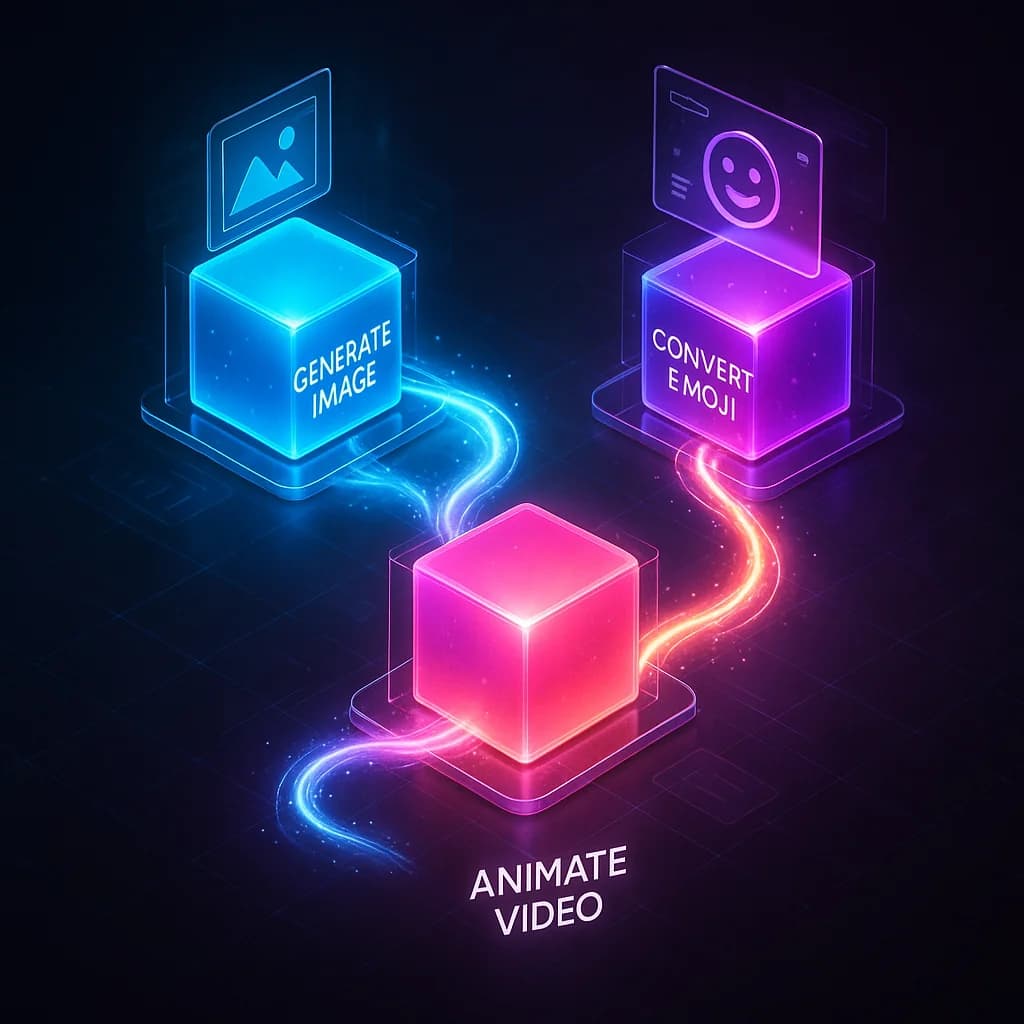
Each skill is a thin wrapper around an API call with some processing logic. Composed together, they form a complete content pipeline.
Skill architecture: progressive disclosure
Good AI skills keep context minimal while making capabilities discoverable. The pattern:
skills/
└── image-gen/
    ├── SKILL.md              # Minimal - loaded into context
    └── image_gen_cli/
        ├── pyproject.toml    # uv managed, defines entry point
        └── src/main.py       # All logic + help text lives here
SKILL.md stays tiny (under 50 lines) because it's loaded into Claude's context on every invocation. The detailed documentation lives in the CLI's --help output, which only loads when explicitly requested.
## Instructions

Run from CLI_PATH:
uv run img --help                # Discover all commands
uv run img generate --help       # Detailed usage
Progressive disclosure keeps your context clean while still exposing the full capability set.
The OpenAI image API
Image generation uses the gpt-image-1 model. Core pattern:
from openai import OpenAI
import base64

client = OpenAI(api_key=api_key)

result = client.images.generate(
    model="gpt-image-1",
    prompt="a fire mage casting a spell",
    n=1,
    size="1024x1024",
    quality="high",
    output_format="png",
)

# Response is base64 encoded
image_bytes = base64.b64decode(result.data[0].b64_json)
with open("output.png", "wb") as f:
    f.write(image_bytes)
Key parameters:
- size:
1024x1024,1536x1024, or1024x1536 - quality:
low,medium,high, orauto - background:
opaque,transparent, orauto - output_format:
png,jpeg, orwebp
Converting to Discord emojis
Discord emojis have strict requirements: 128x128 pixels max, under 256KB for static images. Here's how to process an image:
from PIL import Image
import io

def emojify(input_path: Path, size: int = 128, max_kb: int = 256):
    with Image.open(input_path) as img:
        # Preserve transparency
        if img.mode in ("RGBA", "LA", "P"):
            img = img.convert("RGBA")

        # Resize with high-quality resampling
        img_resized = img.resize((size, size), Image.Resampling.LANCZOS)

        # Save to buffer
        buffer = io.BytesIO()
        img_resized.save(buffer, format="PNG", optimize=True)

        return buffer.getvalue()
LANCZOS resampling preserves detail when scaling down. For most character images, you get clean readable emojis.
Animating with Sora
The video generation API (Sora) takes static images and brings them to life. One key difference from image generation: it's asynchronous. You submit a request, then poll for completion.
# Start generation (returns immediately)
video = client.videos.create(
    model="sora-2",
    prompt="The hero raises their sword as lightning strikes",
    input_reference=image_buffer,  # BytesIO with .name attribute
    seconds="4",                   # 4, 8, or 12
    size="1280x720",
)

video_id = video.id  # Generation is async
Sora generation takes 1-5 minutes. A polling pattern with progress feedback:
def poll_video(client: OpenAI, video_id: str) -> object:
    while True:
        video = client.videos.retrieve(video_id)
        progress = getattr(video, "progress", 0)

        # ASCII progress bar
        filled = int((progress / 100) * 30)
        bar = "=" * filled + "-" * (30 - filled)
        sys.stdout.write(f"\rProcessing: [{bar}] {progress:.0f}%")
        sys.stdout.flush()

        if video.status == "completed":
            return video
        elif video.status == "failed":
            raise Exception(getattr(video.error, "message", "Unknown"))

        time.sleep(5)
Once it's done, download the result:
content = client.videos.download_content(video_id, variant="video")
content.write_to_file("output.mp4")
Real example: Fundrick the Thunder Knight
Here's what the pipeline produces. I wanted a Mandalorian-esque armored character with lightning and hammer themes. What came out:
The profile image
Starting from a text description, image generation produced this:
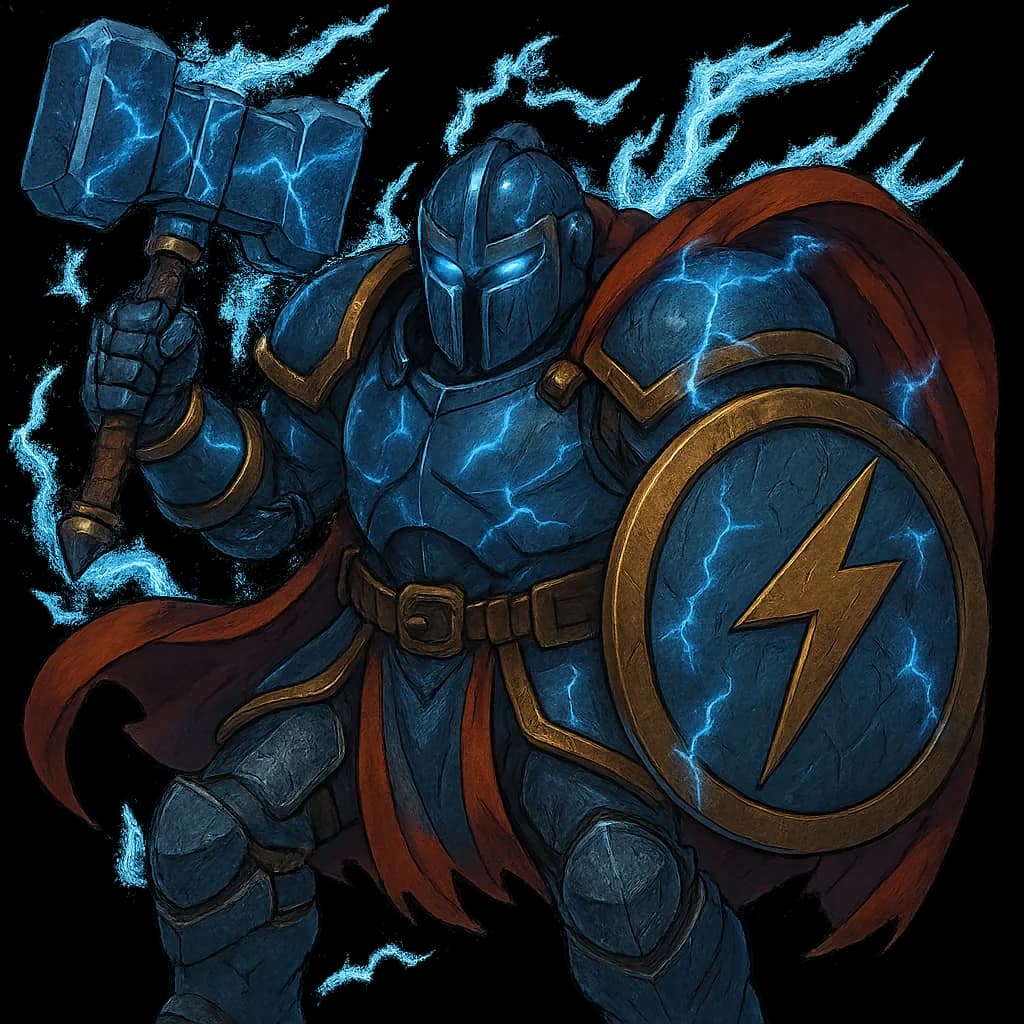
Minimal prompt engineering. Describe what you want, iterate once or twice, and you have usable character art.
The Discord emoji
Running it through the emoji conversion skill:
Same character, properly sized and optimized for Discord's requirements.
The ultimate animation
And the animated ultimate ability, lightning summoning with a ground strike:

Concept to three distinct media assets in a single session. No external artists, no asset stores, no waiting.
The Click CLI pattern
For building these skills, Click is a solid CLI framework. Rich docstrings become help text automatically:
@click.group()
def cli():
    """Image Generation CLI - Create images with OpenAI GPT Image."""
    pass

@cli.command()
@click.argument("prompt")
@click.option("-o", "--output", help="Output file path")
@click.option("-q", "--quality", type=click.Choice(["low", "medium", "high"]), default="auto")
def generate(prompt: str, output: str | None, quality: str):
    """
    Generate an image from a text prompt.

    \b
    EXAMPLES
    --------
    uv run img generate "a cat wearing a top hat"
    uv run img generate "sunset" -o sunset.png -q high
    """
The \b marker tells Click not to rewrap the text, so example formatting survives.
API key discovery
Small but important detail: your skills should work from any directory. This pattern walks up the directory tree to find a .env file:
def get_api_key() -> str | None:
    if key := os.environ.get("OPENAI_API_KEY"):
        return key

    current = Path.cwd()
    for _ in range(10):  # Max 10 levels up
        env_file = current / ".env"
        if env_file.exists():
            for line in env_file.read_text().splitlines():
                if line.startswith("#") or "=" not in line:
                    continue
                k, _, v = line.partition("=")
                if k.strip() == "OPENAI_API_KEY":
                    return v.strip().strip('"').strip("'")
            break
        parent = current.parent
        if parent == current:
            break
        current = parent
    return None
Now you can invoke the skill from any subdirectory and it will still find your API key.
What this enables
The individual capabilities aren't new. Image generation has been around for a couple of years. Video generation is newer but accessible. What's different is composition.
Once you build these as Claude Code skills:
- They're always available. Skills persist in your workspace.
- They compose dynamically. Describe a workflow and Claude chains them.
- They iterate cheaply. Generate variations until you like one.
- They scale. Same pipeline works for one character or fifty.
For prototyping, for small projects, for indie games, for Discord bots, the barrier to visual content just dropped.
Getting started
All you need is an OpenAI API key with access to image and video generation. The skill pattern is simple:
- Create a skill directory with a minimal
SKILL.md - Build a CLI with Click and uv
- Wrap the API calls with appropriate error handling
- Add processing for format conversion
The code samples in this post are complete enough to start from. The trick is composition. Build small tools that do one thing, then let Claude orchestrate them into workflows.
What used to require teams now requires prompts. That's the power of AI content pipelines.

Staff engineer at Airbnb, writing from Hoboken, NJ. Everything here is something I actually run.